Showing posts with label technology. Show all posts

Wednesday, 27 May 2026

The Times They Are A-Changin'


Swedish Whitebeam trees in bloom now in my neighbourhood. (Lots of them!)


Lately, every time I sit down to do something at the computer, it seems that some problem or other pops up. 

The other day (I've already forgotten why or how), I managed to get logged into the wrong Blogger account on the Google browser on my computer, and never got round to blogging whatever it was I then indented to write about. There seems to be so many layers of extra security and pincodes and cross-references and back-up accounts everywhere these days that my aging brain is (evidently!) finding it hard to cope with it all...

So when I started the computer again tonight, I first had to try and sort out the mess it seems I unknowingly created last time. (I seem to have succeeded, for now, but alas I'd not be able to retrieve my steps this time either...) 

That (+ more) reminded me of the Dylan song - but when looking that up on YouTube, I also discovered (or rather, re-discovered) that YouTube has removed Blogger from the symbols of places to easily share to. So I had to get into the mysteries of using "embedding" and HTML view instead. (If I was successful, the video will appear at the bottom of this post when I eventually get round to posting...)

The Times They Are A-Changin' also kind of sums up that the past week or so has been rather full of information about other things about to change. 

Last week I mentioned having been to listen to info about the plans for an old football field in my immediate neighbourhood to be turned into a public park. 

Yesterday I attended another info meeting; this time about plans to install "entrance phones" in the buildings on the housing estate where I live. Last summer, problems in some buildings caused the (municipal) housing company to suddenly, around midsummer, lock the entrances 24/7 - and keep it that way until... February, I think it was, when it suddenly got back to normal again (i.e. only locked at night). 

For me the main problem with the doors locked around the clock was my regular food deliveries. I had to go down (and because of my knee, use the lift rather than walk) to open the entrance door for the delivery guys - but still needed them to help me carry everything all the way up and into the hall of my own flat. So personally, when the doors suddenly were unlocked again some 7-8 months later, I felt only relief. So much easier when no explanations needed every time! 

Now (a few months after the doors were unlocked again) a notice was put up inviting us (I think probably a few buildings at a time) to information about plans to install an entrance phone system. The meeting was held in the basement of a neighbouring building, and I guess we were around 20-30 people. I had looked up some info beforehand about modern such systems, so didn't find it too hard to follow. Apparently nowadays they connect the entrance phone with one's own phone number. So in the future, when visitors push a button with my name on it at the entrance, the call comes in on my cellphone, and after verifying that it's someone I want to see, I can just push a button on my own cellphone to let them in.  Sounds easier than having to go down in person to open the entrance, at least! 

However, the installation of this system will also add an extra fee to our monthly rent. (Which might be considered a problem by tenants already struggling as it is.) So what they're doing now is trying to get the info out to everyone and make sure we understand; and they're also collecting our consent - or not. And it seems they have decided to go democratic on this for each individual building. If 51% of the tenants in a specific building wants the system, it will be installed. But if 51% of the tenants in a specific building do not want the system, it will not be installed there (and the entrance left open in the daytime, locked at night). So in the area as a whole, we may end up with some buildings having the entrance phone system, and others not.

I signed a form giving my personal consent already at the meeting - also weighing in the info I took part of last week, about the transformation about the nearby field to a park, which is likely to bring more "visitors" (not least teens) to this neighbourhood. 

What will become of it all in the end, still remains to be seen - but I'm thinking that either way, The Times They Are A-Changin' ...

I  might add that as far as I can recall, this is the first "info meeting" of this kind that has occurred during the 18 years I've been living here. (Inviting anyone interested instead of just discussion between landlord and representatives of a tenants' association.)

For me, the meeting made it a bit clearer to me what kind of problems started the whole discussion in the first place. It seems that it's people living near the playground in the middle of the estate who have been having the most problems with youngsters not actually living here hanging around there in the evenings, and also entering nearby buildings. 

After the meeting, outside, I got talking to a woman of around my own age who turned out to be my current wall-to-wall neighbour (next entrance). I think it was last autumn that she moved in. (I've never seen her properly, as there's frosted glass between our balconies and neither of us is so tall that we see over it). She's been a much quieter neighbour than the one who lived there before her, so when I understood where she was living, I introduced myself. Someone else had mentioned earlier incidents in our close neighbourhood (including the entrance where she lives) and I felt a bit of time perspective might be in place... I have lived here 18 years, and while there have undeniably been a few scary incidents - seen in the longer perspective, I still consider  it a good neighborhood "on the whole". 


Tuesday, 5 May 2026

Troubleshooting


I can't recall just now what it was that I really intended to blog about today. When I turned on the computer, I got caught up spending hours on "troubleshooting" instead, as the browser that I normally use with this blog suddenly refused to show up any larger than that very small square on the bottom of the screen in the photo above. No idea why. It's never happened before, and none of the tips I googled so far works - either because I can't find (see) the suggested thing to click on, or because clicking on it doesn't help. 

I asked AI for advice of course, but it just "pretended" to be helpful:

Key Steps in the Troubleshooting Process:

Define the Problem: Clearly identify the symptoms—what is the actual vs. expected state.

Gather Information: Speak with users, review data trends, and check error messages.

Identify the Root Cause: Isolate the issue by narrowing down possibilities (e.g., checking hardware connections or software settings).

Develop a Hypothesis: Guess the most probable cause based on information gathered.

Test and Fix: Implement a solution, but do so cautiously to avoid making things worse. 

I'm thinking that uninstalling and re-installing from scratch might perhaps fix it - but I'm too tired to try to "cautiously implement" that just now.

Luckily my alternative browser used with this blog did work (showing up full size) - but here I found myself logged out from things, so that took a while to sort out as well.  

Tomorrow is another day; but then I have an appointment with my dentist for a different kind of  troubleshooting. Back on Friday I somehow managed to lose a very tiny corner of an important tooth, of which the major part is already "fake". I'm not in pain, but I have no idea whether the dentist will find it a simple quick fix or  if it will turn out a Really Big dental job. All I know is that it won't self-heal! - so better seek help ASAP...

Thursday, 12 March 2026

Much Ado about Nothing


With all the paraphernalia at hand that I might possibly need, including my new ID card, I sat down at my computer again to make a new attempt to renew my digital "Bank ID". My first impression was that my bank had decided to cut me off completely. I tried my card-reading usb-device first (for a special kind of card from the bank only); but could not log in. I tried my old mobile bank ID (which should still be valid for another 12 days), but could not log in. I tried the bank's other little code device, and could not log in. Now What??  

Then my eyes fell on a small text below the various login choices on the bank website: "Login not possible at the moment." ... A message directed at all customers - not just me... (If that had just then popped up on my screen, or if it had been there all morning without me noticing it, I don't know.)  

So I put off further attempts until after lunch. By then the message was gone, and my first login attempt var successful. I looked up the information about how to renew my Bank ID from the bank website - but still failed to understand from where I was supposed to scan my physical ID card, if asked to do so... 

With a sigh I gave up my resistance to having a bank app on my phone. Installing the banking app  on my phone took only a few seconds, and no trouble to log in with the Bank ID app on the same device. I then just had to press another online button or two - and my digital ID was promptly renewed (for three years) - without any request to see the national ID card that I had recently gone through the trouble of getting... 

So I still don't know how the photo ID scanning part is supposed to work. But just now I don't feel up for further research on that front; as for all I know, it may well change again before I (possibly) find myself needing it. 

For some reason, the song in the video below came to mind (especially the intro), so I looked that up on YouTube instead... ;)

Operator . . . give me . . . information.
Information . . . give me . . . long distance.
Long distance . . . give me . . . Hea. . . ven. 


Monday, 2 March 2026

ID Adventures Continued


As some readers might remember (at least now that  I remind you), last week I found out that in order to renew my "Mobile Bank ID", I first needed to get a physical National ID card (a kind of ID card that I've never needed before). 

So for that purpose, I had booked an appointment today at our local police station - from my point of view situated in a street "across the city centre", and with no really helpful bus connections from where I live. I contemplated taking a taxi, but as the snow is gone and it wasn't really raining (just foggy on the verge of a light drizzle), I decided to walk. It took me about 40 min. My knee felt fairly ok, but I'm still far from "speedwalking"... 

The mural above is on a wall along a sidestreet near the police station. It's been there for a number of years by now, but it's not a place I usually walk by. 

I arrived about 20 min before my 12 o'clock appointment, and checked in digitally on a machine. Just then there were only a few more visitors in the waiting room, but all 'cubicles' seemed to be closed. After a while I came to the conclusion that the staff must be on their lunch break. In the meantime, more people kept arriving, so at 12, when they opened again, all seats in the waiting room were taken, plus a lot of people standing as well. As I had a booked appointment I did not have to wait long after they opened, though. (Most people were probably there to collect previously ordered IDs, which does not require pre-booking.) 

It's been almost a decade since I last visited the police station for a similar errand (then a passport), and my memories of the procedures then are vague. But what somewhat surprised me now was the absence of a couple of items that I would have found helpful: A hook to hang my coat on, and a mirror to at least be able to check my hair before having my photo taken by staring into a blank (but not reflective) screen. Fingerprinting no longer involves ink, and they only wanted my index fingers - but (interestingly) I needed to do one of them thrice before the police office was satisfied. (Do fingerprints wear out with age? Answer at the bottom of the post...) *

 And then of course I had to write my name with a digital pen, which felt oddly clumsy, and made my signature look that too. The officer then briefly showed me what the document was going to look like (too small for me to really see properly) and asked if I was satisfied. I said I was definitely not satisfied with my hair... But probably everyone says that, because he seemed to take that as an acceptance anyway, and told me I'll get a message when I can pick it up (in a week or so)... 

Walking away, I made a mental decision that when my driving license is up for renewal next year, I will make sure to do that. (I don't really drive any more, but it's accepted as ID in most everyday situations, even if not for the digital bank ID. And for the driving license one is still allowed to go to a professional photographer to have one's photo taken... 

The way back home seemed very long. I looked in at the pharmacy for a short errand (some non-prescription stuff), but then decided to see if I could catch a bus part of the way. There is no bus that takes me "all the way" these days, but I managed to catch one that shortened the way a little bit (two stops). With a little detour to a neighbourhood corner shop for some fruit and vegs, I was home again at 1 pm, amost exactly two hours after I left. 

The whole adventure had me so tired that after a quick lunch (microwaved leftovers, and salad from yesterday), I fell asleep for a couple of hours in the afternoon... 

And now it's just about bedtime for real! 

*) AI tells me:  "Yes, fingerprints can wear out or become less distinct with age, largely due to reduced skin elasticity, thinning skin, and the flattening of ridges. While the underlying pattern remains fixed, these changes often make it harder to capture clear prints in older individuals " (And I suppose I have to accept that at age 70, that's what I now am...)


Monday, 23 February 2026

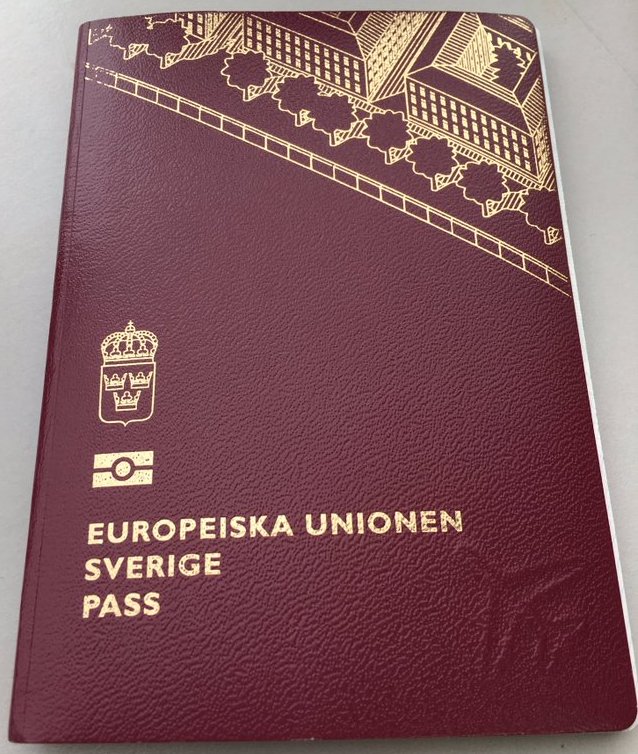
Identity Crisis

 File:Sweden passport.jpg

Wednesday, 8 October 2025

Keeping Up with Modern Technology

Yesterday was rainy, and I did not go out - it was also Laundry Day for me anyway, and I had enough to do indoors. Today the sun made an appearance again, and in the afternon I decided to go for a walk to the supermarket for a few items. 

Above: I stopped on the bridge across the river to snap a photo of yellow leaves dropping to the ground now (and into the water as well)... 
Below: Some very red Rowan trees next to a tall building.


For over ten years now I've been doing most of my grocery shopping online with home delivery (from the same supermarket that I walked to now); but once in a while I like to go myself for some speical item, or just to try to keep up with changes in the store. When I do go in person, I always self-scan the few items I bought (with a hand-held scanner), so don't have to stand in line to check out. I've been doing that for even longer than I've been using their home delivery service, and it's routine procedure for me. ... 


However, recently they have also made some changes to their self-checkout area; and for the second time this year, I found myself bewildered when getting there. I blipped my card at one of the stations and then clicked on what I thought was the right button that came up - but my self-scanned items did not appear on the screen. So I had to ask for help from a young girl (member of staff), who patiently took me through the explanations of how these check-out points were for customers not carrying a scanner with them through the store, but doing the scanning at the check-out; whereas those ones (pointing) are for customers who used a scanner along the way... 

It all suddenly gave me a feeling of being old and confused and out-of-date... (And in this particular case, I suppose that's exactly what I was!) ...  I'm not normally very chatty in stores, but it also made me want to explain, "in my defense", that the reason that the two different ways of "self scanning" had escaped me was that I do most of my shopping online these days! (Hoping somewhere at the back of my head, I suppose, that this might restore her opinion of me as perhaps not totally out of touch with the modern world after all...) 

After I got back home, I learned that there's also a third scanning method now - downloading their special app to my phone, and then scan a QR code at the exit to pay. However much they claim that to be "simple", I don't think I'll complicate my life further by adding that to my personal mix of options. I just hope that they'll continue their home delivery service!!

Wednesday, 7 May 2025

RollerMouse

I've had a couple of days "off blog", awaiting my new Roller Mouse. If you're not familiar with this helpful tool, it's a combination of wrist-rest and mouse that you put in front of your keyboard, with mouse-functions in the middle, so that you can keep your arms in the same position and don't have to use a mouse on the side. 

I had an early version at work back in my working days (as medical secretary in the 1990s); then also got one as handicap aid ("on permanent loan") to use at home. When that one got worn out, I bought one of my own, in 2012. That one has worked very well, except that for the last couple of years, it has had its wrist-rests mended with duct tape. The photo below is from 2023:


Recently, the tape too came loose - and when trying to remove and replace that with new tape, all the rest of the "cushions" sort of disintegrated as well... So time to search the internet for a whole new "thingy"...

I managed to find a newer version that seemed to be roughly the same shape and size - available from more than one company, but I chose one that claimed to have it in stock within Sweden and would send it within 2-3 days. (It's sometimes hard to know these days.)

Only after I completed the order did it hit me that I had still forgotten to check their definition of "standard delivery". I know it wasn't too long ago that I ordered some small item online, convinced that it would be delivered by ordinary post - but it turned out I had to go to a shop "across town" (not at all convenient to me) to collect it... 

So I've been keeping my fingers crossed for a couple of days (as well as basically off my keyboard!) ... But this morning I got a text message that I could pick up the parcel at my nearest convenience shop, just some 5+ minutes walk away.  (Phew.)

The product itself also turned out to be what I had expected; and easy enough to install, as it's still of the "plug and play" kind (no need to download extra software). 


PS. Some observant reader might notice that there is also a separate mouse in my photos. It came with my bluetooth keyboard, but no need to use it when I have the RollerMouse...


Saturday, 4 January 2025

Digital Dissociative Identity Disorder?

Quotes from a medical website: 

Dissociative identity disorder (DID) is a mental health condition where you have two or more separate personalities that control your behavior at different times. When personalities switch, you’ll have gaps in your memory. ---

--- “Dissociate” means to separate or disconnect. People with dissociative identity disorder may experience several different personalities --- These personalities may control your behavior at different times. --- Memories may not transfer from one identity to another, which can cause amnesia (gaps in memory). --- DID interferes with your ability to function in your day to day. It can impact your relationships with others and performance at school or work. 

This past week, I have diagnosed myself as suffering from DDID - as in Digital Dissociative Identity Disorder...

I blame Google, and seriously doubt any form of psychotherapy will help. 


The background can be found in my December post Commenting Issues. To summarize, these issues started when Google, for unknown reason, decided to suddenly stop Firefox (my preferred browser for this blog) from working with "embedded" blog comments. For me that meant suddenly finding myself unable to reply to other peoples' comments on this blog from my computer. My first attempt to solve this was to change to using a pop-up window for comments instead of the embedded. That worked fine for me "within that window", but turned out to have some other disadvantages instead. (Those of you who noticed will know. For those of you who did not, staying ignorant will probably be better for you than to have the details explained.) 

I also had the Microsoft Edge browser on the computer, but there I am logged into my other blog (Greetings from the Past) under a different "identity". And it seems one can't be logged in to two different Blogger accounts at the same time, on the same browser.

So I installed Google Chrome as a third browser. For some reason, there  Google seems to have no problems to still allow embedded commenting. 

But in my process of experimenting with different solutions, I kept running into other problems instead. And somewhere in midst of it all, my own brain went on strike, and it came to a point where I suddenly just felt totally confused by the whole mess of different browsers and websites, and what emails and logins and passwords to use where...

Google also somewhere along the line turned totally fanatic about adding extra layers of security, and was no longer content with my usual passwords, but started to require extra codes sent back and forth between my various appliances (laptop, phone and tablet) to prove that I was really me (which I was now almost beginning to doubt myself). On top of all, they also, on one account, forced me to switch from an old (non-google) email address as login, to a brand new gmail addess as primary login instead (a different one from my other already existing gmail).

This was the final straw that made me diagnose myself as now seriously suffering from DDID. The symptoms seem to fit perfectly with the medical ones: Memory gaps + disability to function in my day to day "work" and "relationships with others"... 

It also makes me feel far from secure, and instead rather terrified of no longer knowing what login I'm supposed to use where. (Even when writing things down I'm not sure I got them right.) At the moment I do seem to be logged in "somewhere" on both blogs - but I really fear the next time I accidentally find myself logged out, and have to try and get back in again...


Friday, 20 December 2024

Commenting Issues

The other day I suddenly ran into a tech issue that has never happened before during my nearly 16 years of blogging: I was not able to comment on my own blog (like replying to other people's comments).

Super frustrating, and I couldn't even figure out what they meant by it... I've been using  Firefox (browser) with this blog for years, and this message has never come up before. I also have Microsoft Edge on the laptop, but the thing is, I have my family history blog (Greetings from the Past) on a separate Blogger account; and to avoid the trouble of logging in and out every time, I find it most practical to use different browsers for the two. Which worked fine - until now... So I've had a couple of days scratching my head over this. Just following the message's "Learn more..." instructions did not help. I then downloaded a third browser (Chrome) - but that in turn brought some other irritations. However, I found that I was still able to reply to comments as usual on the Firefox app on my tablet - so I have not been totally locked out from two-way communication.

But then today it hit me to check the Blogger settings... And found their comment settings (which I don't think I've ever changed since I first set up the blog):

As the word "embedded" was involved in the Google/Firefox error message, I changed my Blogger settings from Embedded to Popup - and that seems to have solved the problem.

I'm writing this down chiefly as a reminder for myself, but I thought I might as well publish it on the blog as well - in case anyone else has come across similar issues, or perhaps just happens to notice my shift to popup for comments here. (Hopefully the popup will work for others as well as for myself.)

Saturday, 13 April 2024

AI and the mysterious "Eldoria"


The readiness of Microsoft's Copilot and Designer to introduce me to the fantasy kingdom of Eldoria (cf my previous two posts) rather took me by surprise. It seemed like a whole fantasy world by that name already exsisted "out there" and was just waiting to be explored further - rather like a computer game.

Before going on, I decided to ask Google what they knew about Eldoria. Now I was in for another surprise, because even though I can't recall ever having come across it before, it seems that 'Eldoria' is all over the internet, in all kinds of confusing and contradictory versions... There are lots of books written about it, but by different authors. And there are computer games, and images, and YouTube video clips, and websites I'm not even sure exactly what they do (I'd probably have to create an account to find out). And also people wondering in various kinds of forums why 'chatGPT' always seems to lead to Eldoria whenever they try to create something in the fantasy genre... (Which was also what I had started to suspect myself.)

Still finding it hard to quite make sense of it all, I returned to Copilot and asked straight out:

Me: Is the Eldoria used by Copilot the same as other Eldorias on the web?

Copilot's answer:

The term “Eldoria” can refer to different concepts and creations across various platforms and media, and it’s not exclusive to any single use. The Eldoria I mentioned earlier, such as the one in Roblox or on World Anvil, are independent creations that share the name but are not necessarily related to each other or to any version that might be used by Copilot.

Each Eldoria has its own unique context and content, created by different individuals or groups for specific purposes, like gaming, storytelling, or worldbuilding. The common thread is the name “Eldoria,” which seems to evoke a sense of fantasy and adventure, but beyond that, they are distinct from one another.

If you’re asking whether there’s a specific “Eldoria” that Copilot uses as a reference or a base for responses, the answer is no. Copilot does not use a singular Eldoria but can provide information or create content based on the various interpretations of Eldoria available on the web, as long as it aligns with the guidelines and capabilities I have as an AI. 

Thanks, Copilot. Knowing that, I think I feel a bit better about continuing to explore a bit more...

(At least one more episode already prepared, and will be coming up soon. I'll just give my readers as well as myself time to digest the above for a bit first...) 

(PS. It was raining all day yesterday as well... LOL)


Thursday, 28 March 2024

Printer Trouble


If anyone is wondering what's been keeping my busy over the past couple of  days since Monday, the answer is that my computer suddenly stopped communicating with my (HP) printer/scanner. All my "computer time", two days in a row, had to be spent on trying to solve this. It was utterly annoying, since there seemed to be nothing at all wrong with the printer itself. But my laptop kept insisting that it was unavailable, not connected, or "idle". Of course I tried the standard "turn off and turn on again" tricks on both machines, but to no avail. Then I tried exchanging the printer cable (I found a spare one in one of my drawers) but that made no difference either. I also tried uninstalling and reinstalling the printer app, but that did not help. Had to give up on Tuesday evening; and did not have time to try again until Wednesday afternoon. 

Now I got messages saying that the printer was not connecting with my WiFi. But it never has been connected to WiFi... I've been using in on cable, and that had so far worked fine... But okay, if using WiFi was what was needed now... So I tried loooking for instructions how to connect the printer to WiFi - but I could not find any. I was just repeatedly told to do it - but without any suggestion how...

Finally, somehow, somewhere, I must have done something right, because a message turned up to say there was no printer "driver", and also suggested where I might find and download that. Didn't manage that on my first try either, but eventually I did, and then suddenly, somewhere in the installation process, I was also presented with the option to connect by cable instead of WiFi. And then, some time late last evening, all was finally back to normal, in both directions, with both printing and scanning. As if nothing had ever happened in the first place to break that connection...


Now I only wish I could retrace my steps properly and write it all down (in case it happens again) - but the truth is I still don't know neither what went wrong in the first place, nor what I finally did right to get back on track. (I do have my suspicions that a background Windows update may have been what caused the breakddown. But I can't prove it...)

Today I've been busy with other things and now it's already bed-time again. Ooops!


Monday, 2 October 2023

Blogger Commenting Issues

It's been driving me half crazy lately that I've not been able to figure out why it's become increasingly difficult, and lately even downright impossible for me to log in to comment on certain Blogger blogs - while on others I've either had less problems, or none at all. 

The variations of the problem I've experienced from one blog to another still puzzle me; but it seems I may now have found a remedy: After a bit of googling this evening, I came across the tip that the problem may be in the "cookies" settings of one's browser. This made me think, as I'm in the habit of using different browsers for my two blogs that I have on different Google accounts (to avoid having to log in and out all the time). And from my other blog (Greetings from the Past, see link in the sidebar) I can't recall having had the same problem.

For this blog my standard browser is Firefox; so I went to to my Firefox settings, typed "cookies" in the search box, and found that I had the settings marked in blue below - but that there were other options that I could try.

 
I started by changing my setting to just:


... and that actually seems to have been enough to get me back to "logged in" status in the comment section on some blogs where I've recently been having problems.

I'm sharing this here partly for my own memory; but also hoping it might help others who have been experiencing the same (or similar) issues.

AI created image for "tracking cookies" (LOL)


Saturday, 5 August 2023

Reality Check


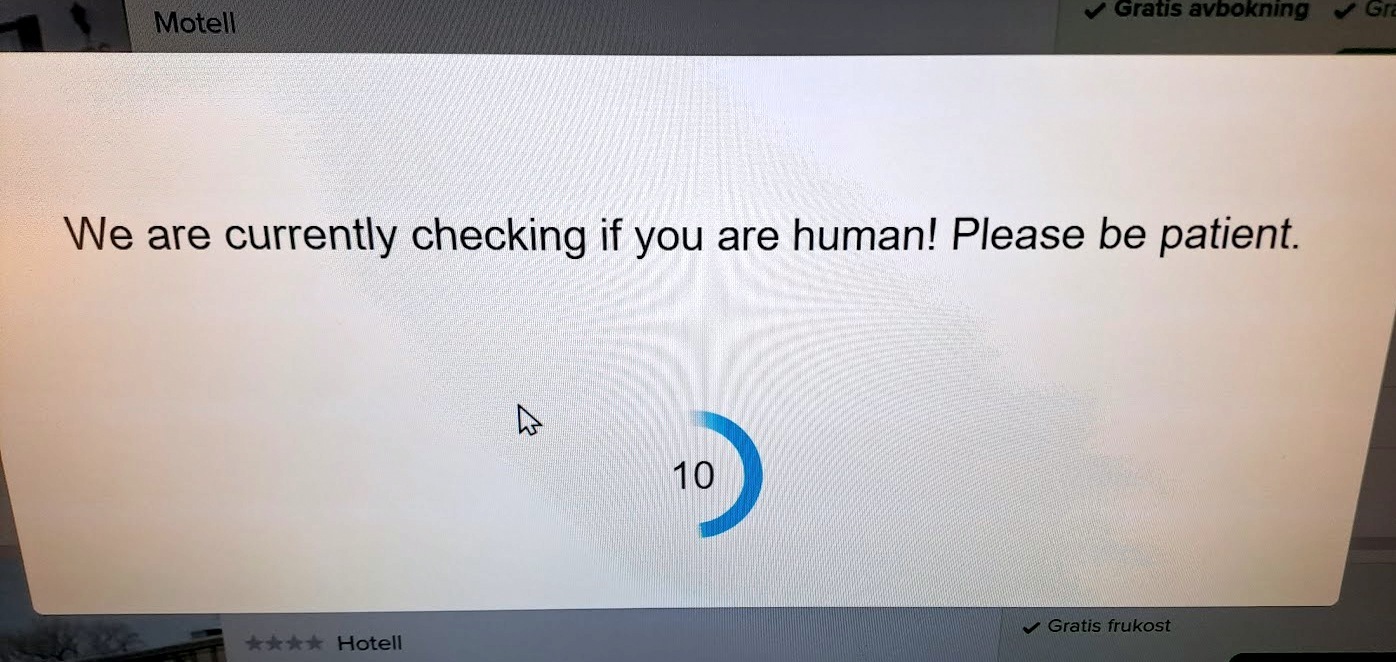
This message unexpectedly turned up on my screen the other day -  I think while I was trying to log into a hotel booking site. It took them a while (long enough for me to be able to grab the camera to snap the shot abouve), but eventually I was let in. So I suppose I must have passed the test!

'We are currently checking if you are human' - images by Bing (AI)

To retaliate, I later gave Bing the same message. They responded with various photos of masked people holding up signs in 'Gibberish' - plus the weird-looking man on the left whose face looks like it's been put together from two different photos.

I also asked Bing for illustrations of a woman making holiday plans. This was the best of those. There are no weird-looking airplanes (or palm trees) involved in my holiday dreams - but I'm very likely to need the umbrella.

The plan is that my brother will drive down here in a couple of days, and then we also hope to go off on a little trip together to the west coast (with one night away, which needed to be booked). We're still having very rainy weather though, so our plans still depend a bit on how the weather forecasts develop...

Swedish West Coast according to Bing

Anyway - if you don't see me around in the Blog World as much as usual next week, it may be beacuse I've managed to sneak off on adventures "out of town" for a change. (I don't quite believe it until I see it!)

Thursday, 3 August 2023

Hello Again


Image by Bing Image Creator

1st August was not only "Hello August" (cf. previous post), but also an "Hello? Hello? Helloooo?" kind of day for me...

I got a phone call from my brother, who rang me on my "landline" number (nowadays on fiber cable broadband) to inform me that he was unable to get through to me on my mobile. At his end everything just went black and silent (no way to leave a message) - and at my end there was no indication whatsoever that anyone had been trying to reach me, or that anything was wrong...

While still on the cable phone to my brother, I tested making a call from my old spare mobile to the new one, and the same thing happened. No call came through. I then tested the other way round - and that worked just fine! So I could make calls, just not receive any... That made it even harder to guess how long it may have been like that. (Could be a few weeks without me having wondered about it, as I wasn't expecting anyone in particular to call, and I was still able to make calls myself.)

What did come to mind was that at the beginning of July I had changed from "cash card" to a monthly subscription. I know I made some outgoing test calls after that change, to check that everything was working. But I'm not sure it occurred to me to also test the other way round - as I've never heard of a phone only working in one direction...

After having finished talking to my brother, I googled "no incoming calls" and found that obviously, the situation must be more common than I thought - as I easily found various tips on things to check if this situation arises.

I followed a number of them - starting with restarting the phone, and then following a list  of different settings to check. The last thing I did was to reset my "phone network" settings, and after that, it was working again. (At least I can now call myself from my other two phones, so I assume others can as well.)

If it was about the phone network settings, it still mystifies me how I was able to make calls, just not receive any... And I still don't know if it was caused by some automatic update gone wrong, or something I happened to do myself... Ah well. I suspect I'll be calling myself a bit more often in the near future, just to make sure. ;) (And I think I'll be keeping my two extra phones as well, although I'd been thinking of giving up at least one of them.)

As you can see above, I asked Bing for an illustration. Below are some more, just for your entertainment. Obviously Bing is still having serious problems with arms, hands, legs, people holding things - and even defining what a "phone" is... (My basic simple instruction was "woman waiting for phone to ring"...)


Thursday, 27 April 2023

More Tech Stuff

One more "tech hiccup" that I've had to deal with lately is the remote control to my (smart) TV acting up - as in its on/off button (rather essential) not working properly. For quite a while I've had to press that button multiple times to get it to respond at all - and sometimes, when I got a bit too impatient, it turned things off, but then straight back on again...

At the same time as I bought my new mobile phone (5+ weeks ago now), I also bought a replacement remote control for the TV; but what with all the other new technology to get my head round (also a new computer since then), I put that remote aside for "later" (and meanwhile have kept struggling on - and off - with the capricious old one). 


This week I decided it was time to finally try and get that sorted as well, though. Seemed easy enough at first - but then caused a bit of headache anyway...

How many of these have you got to deal with?
From left to right, here are mine:

1/ The new TV control
2/ The old TV control
These are used to turn on/off the TV, to switch between TV vs streaming apps, and to handle the apps. (Hopefully I'll only need the new remote now, but until I'm sure that I've figured everything out, I'm keeping the old one as well...)

3/ Separate control for the TV box from my cable company. I have to use this one to switch TV channels - can't do that from the main control.

4/ Control for the BlueRay disc player (to which I can also attach a USB drive). (This player can partly also be controlled from the main TV remote - but not completely.)

5/ Control for the tuner/amplifier. The TV usually connects to the amplifier automatically but I need the separate remote if I want to just listen to the radio (or if auto connect with the TV doesn't work properly for some reason...).

6/ Control for my old DVD-player.

To my relief, the new TV remote at first seemed to work just like the old one. However,  some of the buttons in the middle "wheel" are a bit different, and I discovered that one I really missed on the new remote was a very convenient shortcut button on the old one to take me straight back from streaming apps to TV. I found another way to do it, but that took two or three steps rather just one. - However, the next day (reading the instructions again) I found a way to program another button to perform that trick with just one click. So that problem is now eliminated.

BUT it also seemed (for a while) like the new remote had mysteriously managed to completely put the BlueRay remote out of action - because that one suddenly refused to react at all, to anything. This had me seriously puzzled, and I tried "all sorts" without result... Until it suddenly occurred to me to try to change the batteries in it - which immediately revived all of its functions... So just an unfortunate coincidence, nothing to do with the new remote after all! (...phew & lol...)

So for now, I think I'm (more or less) "in control" again... How long that may last, may be a matter of whether I also manage to get all the recent changes of "this, that and the other" properly stored in my own brain!

It all reminds me of this meme that pops up every now and then on various social media:


Tuesday, 11 April 2023

The Big Shift


Scilla in the rain

Today it's been raining - which suited me fine, really, as that made it a good day to mostly stay in and devote my attention to The Big Shift... As in disconnecting my old laptop from all its "paraphernalia", and trying to get the new laptop set up the same way.

On the whole it went okay, even if I'm still struggling with optimizing various settings. But at least I've managed to get the computer to recognise its new "workmates": wireless keyboard and mouse, "rollermouse" (= the wrist-support thingy with built-in mouse functions), larger screen, and printer/scanner. I may still have to get used to some things/programs not behaving exactly as they did with the old laptop/Windows 10, though. 

One thing that had me confused today was that I kept getting the wrong "signs" from my keyboard; and Ctrl+ for example made things smaller instead of bigger on the screen, and I also couldn't find the key to reverse that... Enough to drive anyone crazy, right?! But eventually it dawned on me that it might have been caused by switching my prioritised language to English instead of Swedish... I switched back, and to my relief my keyboard changed back to "normal" (Swedish) functions as well. (Phew!)

So... Still a lot of "little things" like that to get my head round... But I'm making progress! :)

I still haven't transferred more than a few test files of various categories to the new machine, though. I'm thinking of leaving quite a lot of my old archives on external drives this time, as I'd like to try to get things organised a bit differently on the new one. I guess I'll keep taking things one step at a time for a while... 

Anyway, it seems I've just produced my first blog post with the new laptop used as "desktop".

Tuesday, 4 April 2023

Dinosaur Easter Eggs (?)


Yesterday I went to the supermarket for a couple of minor things I'd forgotten to order with my home delivery last week. Inside, I was met by these giant-sized Easter eggs... I'm afraid the photo doesn't quite do them justice as it might just as well be a trick photo to do with camera perspective... But these eggs really were enormous, I doubt I'd have been able to embrace one of them round the middle! So in my mind I started imagining  "Jurassic Park" kind of scenes, as to the size of the creatures supposed to have laid them... ;-)

Today I went "across town" again, hunting for a different kind of Easter Surprise for myself. Not egg-shaped (and probably would not fit in one of those giant eggs above either), but who knows what awaits inside... (Well. Windows 11, for one thing!)

Yes, it's my new laptop. Charging its battery while I'm still using my old one to write this; but  I'm thinking it's probably best if I wait at least until Thursday to actually "open" the thing to get the start-up process going. Tomorrow I have other things to do (like laundry), so won't be able to concentrate.

After a good deal of 'headache' and online research, I came to the conclusion over the weekend that I probably won't be able to find exactly what I wanted (i.e. really just a "healthy" version of my old one - lol)... For example, my old laptop has a built-in CD/DVD reader/burner, and a built-in SD card-reader, which I've found useful. (Especially the card-reader, since that's how I transfer photos from my separate camera to the computer.) But all the newer models (at reasonable price) seem to aim to chiefly to be slim and light and skipping too many "extras". So the last few days I've been googling alternative solutions, involving external accessories, ports, cords and adapters instead... Phew! 

After a final pep-talk with my brother on the phone yesterday, today I gathered my collected documentation and took the bus to a shopping center across town, where two of our big "tech" kind of stores are situated. At one of them I recently bought my new phone. Today I went to the other one, because that's where they were supposed to have the laptop in stock that I'd decided on - an ASUS, same brand as my old one. And to my relief they did have it. Well, I should perhaps hold back on the "relief" until I see how I actually get along with it! But at least I was able to give a reasonable impression of knowing what I wanted when talking to the sales guy, and the purchase as such did not take up a lot of time. ;-)

Opening the box at home, the only instruction I found included was to charge the battery for at least three hours before starting the thing. I then went in search of an online manual, but can't find one for this exact model. On my new phone I was met by a set-up guide once I turned that on though. Perhaps something similar will happen when I press the magic button on this one? 

Meanwhile, my old laptop is still working, so hopefully I'll have time to figure things out!


Tuesday, 28 March 2023

Making Progress...

Getting acquainted with my new phone is still taking up a lot of my time - and I keep oscillating between frustration and revelations... ;-)

Out on a short chilly walk on Sunday (just my usual turn around the cemetery for exercise) I had my first attempt at shooting some outdoor photos. Or so I thought. Turned out when I got home that what I had actually done was shoot some very short, shaky and blurry videos (of things not supposed to move!). 

Being used to actually pressing a physical button to take photos (even on my old phone), I guess I probably pressed the "screen button" on the new phone too hard...

Yesterday was sunny (even if still rather chilly), and a better day for outdoor photography. I managed a few shots in and near the park downtown; and then at home also experimented with creating collages. Some crocuses had shown their face again after the snow-shock that must have buried them the other day; and I spotted a couple of more unusual ducks among the usual mallards in the river.

I think they must be goosanders (Lat. Mergus merganser, Swedish: storskrake)

The white ones, bottom right, are snowdrops with snow dropped on top of them... (The crocuses were in a sunny spot, the snowdrops in a shady spot.)

- - -

Some of my other experiments have been related to sound rather than images. The new phone turned out to have no headphone jack; so the day after I bought the phone, I decided to also invest in a couple of new wireless (Bluetooth) earbuds. They don't even have a cord between them to keep the pair together... So far I haven't dared use them outside the flat! ;) They're surprisingly comfortable, though.

The photo on the left is a shot from my TV screen today (watching an episode of Foyle's War). Just as a reminder how far technology has come in the past 80 years or so...!

You turn them on/off and change volume etc by tapping on the earbuds themselves. I've still not quite mastered that art... Sometimes if I want to increase or decrease the volume, I manage to turn them off instead. Or suddenly an automatic voice cries "GAMING MODE" in my ear...  It seems I'm also supposed to be able to answer a phone call by a tap, if I happen to be wearing them when the phone rings. (That still remains to be tested.)

Getting the earbuds also inspired me to look into how to transfer music to the phone from my laptop (where I have pretty much all my old vinyls and CDs saved as mp3-files). Grasping how to do that turned out another headache. I'll just sum it up by saying I tried things more than one way without success... Finally, yesterday, I somehow managed to transfer two (2) albums, though - still hadn't got a clue why only those two (out of several more attempts) were successful!

Somewhere in between, it also occurred to me to explore Spotify (music streaming app). Wow... Somehow I've been under the impression that the free version of this app would also involve lots of unwanted ads and interruptions. (Perhaps in the beginning it did?) But I find now that it does not! And so easy to find old favourites... And once I started marking those, the app started making automatic playlists for me, and bringing up even more suggestions that I hadn't thought of... But you can also listen to full albums. (I bet some of you are laughing at me now. You probably knew all this since like forever.) Anyway, I got spellbound for hours yesterday afternoon, just exploring this whole world of old/new  music... Conclusion at the end of the day: No need to have tons of music files downloaded now - only perhaps a few, if I also want to be able to listen offline sometimes.

Still... Always unsatisfied with unsolved mysteries, today I returned to the problem of how to transfer music from the computer - and think I managed to figure it out. Somehow, after the two successful downloads yesterday, I must have broken off the procedure and failed to start over correctly. Like it seems essential that I turn on the phone first, before connecting it (by cord) to the computer... Never mind the rest of the steps, as it probably varies between devices anyway (which apps are involved etc). Suffice it to say that I have now also downloaded a limited number of my own albums for "offline" listening. 

However, in the process, I've probably also developed an addiction to continue exploring Spotify...


Related Posts Plugin for WordPress, Blogger...